

If your TV interface feels slow, cluttered, or limited, a streaming stick can be the simplest fix.
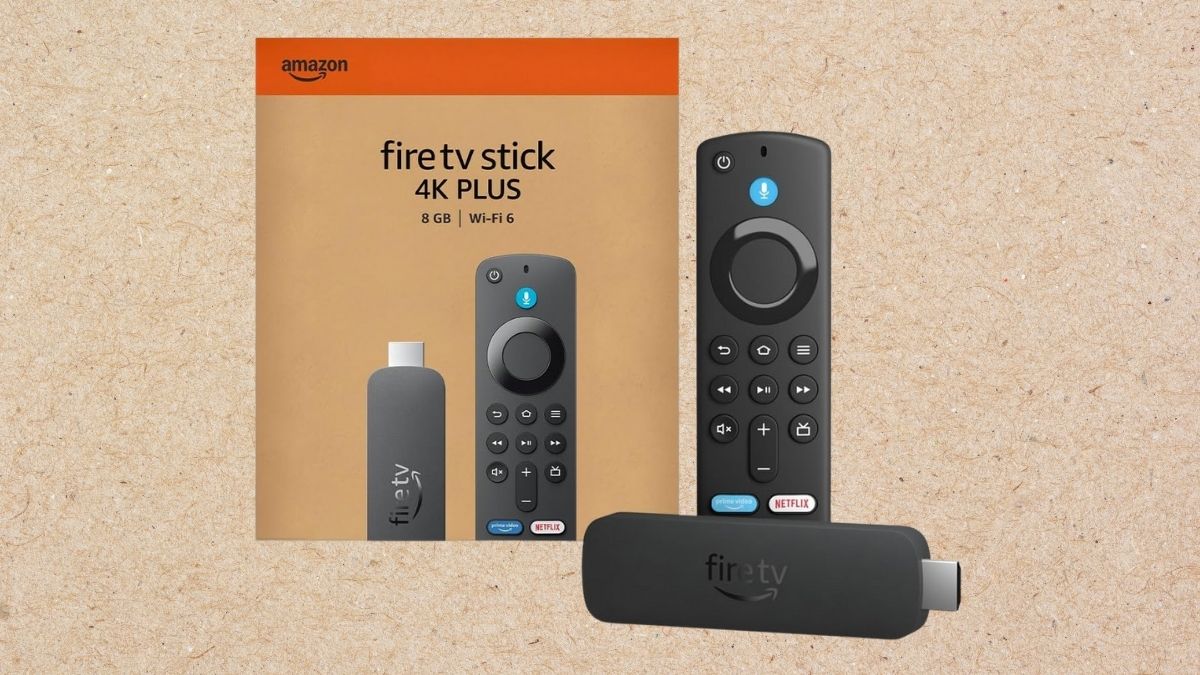
The Amazon Fire TV Stick 4K Plus is built to speed up navigation, improve picture quality, and make content easier to find with Alexa voice control. It also aims to stay stable on busy home networks where multiple devices are streaming at once.
At the same time, it is not the perfect fit for everyone. Your current TV, your sound setup, and your preferred streaming services can shape whether this upgrade feels essential or optional.
Picture and audio features that matter in real use
On paper, most modern streaming sticks “do 4K.” The difference shows up in HDR support, motion handling, and how well non-4K content is improved. This section breaks down what you can reasonably expect on a typical living-room setup.
Before getting into the details, it helps to think of this device as an “image and interface enhancer.” It can’t change a TV panel’s limits, but it can improve what gets sent to the screen.
4K and HDR support
- 4K Ultra HD output can look noticeably sharper on larger screens.
- Dolby Vision and HDR10+ can improve contrast and color depth on HDR-capable TVs.
- If your TV does not support HDR formats, you may not see the full benefit.
Upscaling and motion handling
- Upscaling can make HD content look cleaner, but it will not match native 4K detail.
- Adaptive refresh behavior can help motion look smoother, especially for sports and action scenes.
- Results vary depending on your TV’s own processing and settings.
Connectivity and speed in crowded households
Streaming issues often come from the network, not the app. Wi-Fi upgrades can be the difference between steady playback and constant buffering, especially when multiple people are streaming at the same time.
The goal here is consistency. You want fewer drops, faster loads, and stable performance during peak hours.
Wi-Fi 6 and Bluetooth support
- Wi-Fi 6 can improve efficiency on compatible routers, especially with many connected devices.
- If you have an older router, you can still benefit, but gains may be smaller.
- Bluetooth lets you pair headphones for private listening or connect compatible controllers.
HDMI and power considerations
- HDMI compatibility is straightforward for most TVs with an open HDMI port.
- Reliable power matters more than people expect, and the included power setup helps reduce random reboots.
- If your TV blocks the stick behind the screen, you may need an HDMI extender for better fit and airflow.
Alexa voice control and “smarter” search
Voice control can be either genuinely useful or something you ignore after a week. That depends on how you watch and how much you dislike typing with a remote.
This part is also where opinions split. Some people love voice-first navigation. Others prefer manual browsing and tighter privacy control.
What voice features do well
- You can search by actor, genre, or general descriptions instead of exact titles.
- Voice shortcuts can speed up app launching and basic playback control.
- If you already use Alexa devices, the experience can feel more connected.
Common concerns and limitations
- Voice search results can prioritize certain ecosystems, depending on services installed and available.
- If you dislike always-on assistants, you may prefer using the remote buttons and on-screen menus.
- Some advanced features and experiences can depend on region, account settings, or supported services.
Content, apps, and gaming: what you actually get
The “how much content” claim matters less than whether your must-have services run smoothly. Most mainstream apps are supported, but your experience still depends on subscriptions, availability, and local app support.
You can also use this device for casual gaming, but expectations should be realistic.
| Use case | What works well | Where it can disappoint |
| Streaming apps | Smooth playback and quick switching for common services | Niche apps may vary by region or update quality |
| Free content | Useful for background watching and light viewing | Ad load can be heavy on free channels |
| Cloud gaming | Convenient if you already use supported services | Requires strong internet; controller is typically needed |
Who should buy it, and who can skip it
This upgrade makes the most sense when your current setup is the bottleneck. If your TV apps lag, crash, or stop updating, a new streaming stick can feel like a full refresh.
On the other hand, you can skip it if your TV already runs fast, supports the formats you care about, and you are satisfied with your current interface.
Here’s the simplest way to decide:
- Upgrade if you want faster navigation, improved HDR support, and smoother streaming on busy Wi-Fi.
- Hold off if you rarely notice buffering, don’t use voice features, or already have a premium streaming box that performs well.
When you’re ready to compare pricing and bundles, this Fire TV Stick model is available on Amazon.
A balanced take on value
The Fire TV Stick 4K Plus is strongest when you treat it as a performance upgrade, not a brand switch. It can make streaming feel faster, reduce friction in search, and improve visual quality on the right TV. The main trade-offs come down to ecosystem preferences, voice-assistant comfort, and whether your current setup is already “good enough.”
This item is part of Amazon Today’s Deals in the Streaming Media Players & Devices category. You can explore more products in the same category to compare streaming sticks, set-top boxes, and upgrade options that match your TV and network setup.




