

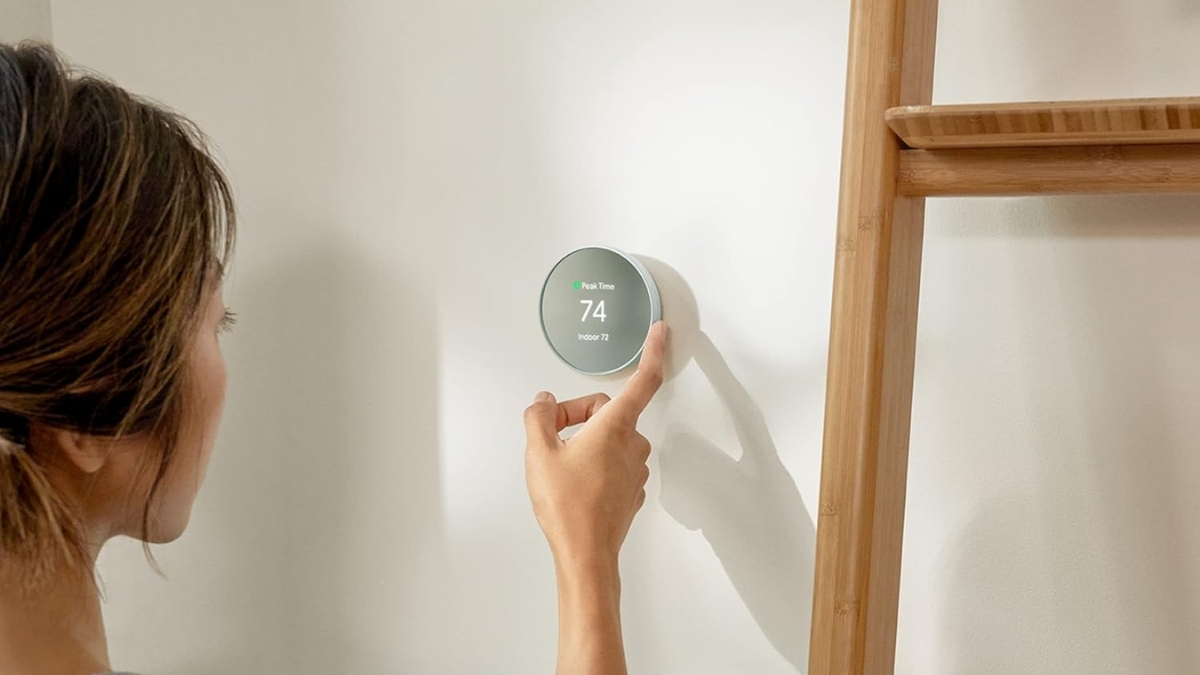
A thermostat used to be a boring square on the wall. Now it plays a bigger role in comfort, energy use, and monthly bills.
That shift explains why smart thermostats keep gaining attention. Energy costs continue to climb, and small changes at home make a real difference. The Google Nest Thermostat fits right into this moment. It focuses on ease, efficiency, and daily convenience.
This Google Nest Thermostat Review looks at how the device works in real homes, how much it costs, and what kind of value it delivers over time. From app control to energy reports, every feature plays a part in daily use. The goal stays simple: better comfort with less effort.
Google Nest Thermostat Review: What It Is and How It Works
The Google Nest Thermostat is a Wi-Fi connected device that replaces a standard wall thermostat. It connects to most 24V HVAC systems and works through the Google Home app. Once installed, it manages heating and cooling with more precision and flexibility.
There are two main options.
- Nest Thermostat (standard model)
- Nest Learning Thermostat (4th Gen)
Both focus on energy efficiency and easy control. The Learning model adds automation that adapts over time. The standard version keeps things simple and affordable.
Compatibility covers about 85% of common residential systems. That includes gas, electric, oil, forced air, radiant heat, and heat pumps. Integration with Google Home allows control alongside other smart devices.
Key Features That Matter Day to Day
Smart Scheduling
The standard Nest Thermostat uses guided scheduling in the app. Temperature plans are easy to set and adjust. The Learning Thermostat goes further by tracking adjustments and building a schedule automatically over time.
Eco Mode
Eco Mode lowers energy use when no one is home. The system uses sensors and phone location data to switch settings automatically. This helps avoid heating or cooling empty rooms.
Remote Control
The Google Home app allows full control from anywhere. Temperature changes, system status, and schedules stay accessible at all times. This works on both Android and iOS devices.
Voice Control
Google Assistant support allows hands-free changes. Simple voice commands adjust temperature, switch modes, or check current settings.
Energy Reports
The app shows clear energy usage reports. These highlight daily trends and offer tips to cut waste. The Learning Thermostat adds deeper insights and long-term comparisons.
Room Sensors
Optional temperature sensors track hot or cold spots in specific rooms. The Learning Thermostat includes one sensor in the box. Extra sensors cost about $39 each.
HVAC Monitoring
The Learning model checks system health. Alerts appear when unusual behavior shows up, such as short cycling or maintenance reminders.
Installation and Compatibility Overview
Setup Experience
Most installations take under 30 minutes. The box includes mounting hardware, a built-in level, and clear instructions. The app walks through each step during setup.
Wiring Notes
Some systems need a C-wire for consistent power. The standard Nest often works without one. The Learning Thermostat may require a C-wire or Google’s power connector.
Professional Installation
Professional installation costs around $99 to $129. This covers wiring, testing, and app setup.
System Support
Supported systems include forced air, radiant, heat pumps, and dual-fuel setups using 24V wiring. Older or specialty systems should be checked using Google’s compatibility tool before purchase.
Standard Nest vs. Nest Learning Thermostat
Design
The standard model uses durable plastic and comes in four colors. The Learning Thermostat uses a metal finish and offers seven color options.
Display
The standard version shows basic information on an LED screen. The Learning model features a high-resolution display that lights up when someone walks by.
Automation
The standard Nest relies on manual or guided scheduling. The Learning version builds schedules automatically based on usage patterns.
Controls
The standard model uses touch controls. The Learning Thermostat features a rotating ring for precise adjustments.
Price
- Nest Thermostat: $99–$149
- Nest Learning Thermostat: $239–$279
Sales often bring the standard model down to around $99.
Smart Home and App Integration
The Google Home app acts as the main control center. Temperature, schedules, reports, and alerts stay in one place.
Automation and Routines
The thermostat works with home routines. Temperature changes can sync with lights, security systems, and other smart devices.
Geofencing
Location data helps switch between comfort and Eco Mode automatically when people leave or return home.
Third-Party Support
Basic Amazon Alexa commands work. IFTTT support allows limited custom automation.
Matter Support
Some models support the Matter standard, helping with future smart home compatibility.
Real Energy Savings and Costs
Annual Savings
Most users report saving $131 to $145 per year on energy bills. Results depend on climate, insulation, and HVAC efficiency.
Seasonal Adjustments
The system adapts differently during heating and cooling seasons. This helps keep savings consistent all year.
Energy Rush Hour Programs
Many utility companies offer rebates for reducing usage during peak hours. Nest can adjust settings automatically during these periods.
Payback Time
The standard Nest often pays for itself within a year. The Learning Thermostat typically breaks even within 12 to 18 months.
Rebates
Utility rebates range from $50 to $100, lowering upfront cost even more.
Pros and Cons
Pros
- Easy app and voice control
- Clear energy reports
- Strong Google Home integration
- Modern design options
- Real savings over time
Cons
- Higher upfront cost than basic thermostats
- Some systems need extra wiring
- Advanced features cost more with the Learning model
- Limited features outside the Google ecosystem
Google Nest Thermostat
The Google Nest Thermostat makes everyday temperature control simpler and smarter. The standard model fits homes that want savings without complexity. The Learning Thermostat suits users who want automation that improves over time. Both options focus on comfort, efficiency, and clear data.
For anyone looking to upgrade a basic thermostat, this device offers long-term value beyond convenience alone. Exploring current pricing and bundles on Amazon can help compare options, and there are plenty of smart home upgrades worth checking out along the way.




