

When my nephew turned seven, I fell down the rabbit hole of kids’ tech. I wanted something fun enough that he’d actually use it, but structured enough that his parents wouldn’t worry about endless gaming or random YouTube spirals.
The JIKOCXN Kids Tablet kept popping up: 10-inch display, Android 15, octa-core processor, kid-safe case, and a big emphasis on parental controls. On paper, it sounds like a “grown-up” tablet dressed in kid gear. In practice, it’s a lot more interesting—and a bit more nuanced—than just that.
First Impressions: More Than a Toy, Less Than a “Serious” Work Tablet
Before getting into the specs, it helps to think about what this tablet actually is: a bridge between a toy and a real device. It’s not a premium flagship tablet, but it’s also far from a basic plastic toy with a few preloaded games. That middle ground is where the JIKOCXN lives.
Performance and Memory: What’s Really Going On Under the Hood
For a kids’ tablet, the octa-core 2.0 GHz processor is impressive. In everyday use—educational apps, streaming videos, casual games—it feels smooth. Kids can jump between an ABC app, a drawing game, and a video without the tablet choking every few seconds, which is a big plus if your child is impatient (so… most kids).
The “24GB RAM” claim, though, needs decoding. The tablet actually has:
- 4GB of physical RAM
- 20GB of virtual RAM (borrowed from storage)
That virtual RAM helps a bit with multitasking, but it doesn’t behave like true 24GB memory. For school apps, reading, and light gaming, it does the job well; just don’t expect laptop-level performance.
Storage and Expandability
You get 64GB of internal storage, which is enough for a good mix of apps, videos, and downloaded lessons. The standout here is the microSD support up to 1TB. For a kid who loves offline videos, audiobooks, or downloaded educational content, this is huge.
Design and Durability: Built for Real-Life Kid Chaos
This is where kids’ tablets either shine or fail fast, and JIKOCXN has clearly tried to think like a parent.
Silicone Case and Stand
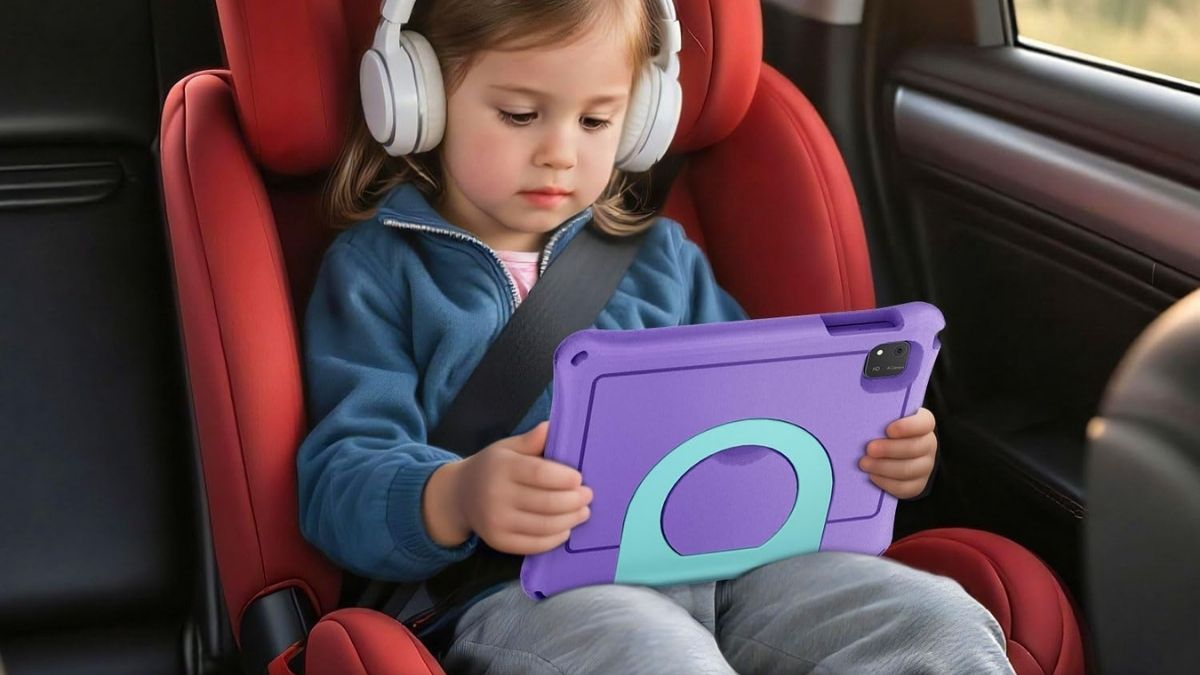
The food-grade silicone case feels thick, grippy, and forgiving. It helps the tablet survive the usual low-height drops from couches, beds, and sticky hands. The material is also safe for younger kids who still have a habit of chewing or biting things.
The built-in stand is surprisingly useful. It props the tablet up for:
- Hands-free video lessons
- Video calls with grandparents
- Watching shows during car rides or meals
The stand feels stable on desks and tables, so kids don’t need to hold the tablet the entire time.
Size and Handling
At around 10 inches, the screen is big enough for reading and split-screen-type activities without feeling cramped. It can be a bit large for very small hands, but for the 6–12 age range, it hits a comfortable sweet spot—especially if they mostly use it on a stand or on a lap.
Screen, Sound, and Everyday Experience
This isn’t a cinematic-quality display and sound system, but it’s perfectly workable for the audience it’s meant for.
Display Quality
The 10.1-inch IPS screen with 1280 × 800 resolution looks good for most kids’ content: bright colors, readable text, and decent viewing angles. You’ll notice its limitations mostly with very detailed images or full HD content, but for worksheets, reading apps, math games, and cartoons, it’s more than fine.
Touch and Responsiveness
The touchscreen feels responsive enough for quick taps and swipes. There may be the occasional missed touch during frantic gaming, but nothing that makes the experience frustrating for normal use.
Audio and Cameras
The speakers are on the tinny side at higher volumes, which is pretty common in this price range. Pairing Bluetooth headphones or a small speaker improves things a lot. The front and rear cameras are basic but usable for video calls and simple snapshots—good enough for kids, not something they’ll be printing photos from.
Parental Controls, Safety, and Screen Time
This is where many parents really lean in, and the JIKOCXN does a competent job, especially if you’re already comfortable with Android and Google tools.
Profiles and Restrictions
You can create separate profiles for each child and customize what they can and can’t do. The controls rely heavily on Google’s Family Link, which means:
- You can approve or block apps individually
- You can restrict websites and browsing
- You can manage content by age group with some manual setup
It takes a bit of time to configure at first, but once you’ve set it up, day-to-day management is easy enough.
Screen Time Rules
You can set:
- Daily usage limits
- “Bedtime” or no-screen hours
- Different rules for weekdays vs. weekends
It’s a nice balance—you’re not locked into a rigid preset system, but you also don’t have to micromanage every session.
Battery Life, Charging, and Practical Use
In real life, the battery holds up for around 6.5–7.5 hours of mixed use (some games, some video, some learning apps), which is plenty for a school day or weekend screen time with breaks. Heavier gaming brings that down a bit.
Charging via USB-C is straightforward, and a little over two hours typically gets you from empty to full. Quick top-ups before road trips or dinners out are very doable.
So… Is It Worth It as a Holiday Gift?
The JIKOCXN Kids Tablet feels like a solid “starter” or step-up device for children who are ready for more than a toy tablet but don’t need something high-end and fragile. Its strengths are:
- Modern Android 15 experience
- Octa-core performance that keeps everyday use smooth
- Expandable storage for lots of offline content
- Thoughtful kid-friendly case and stand
- Flexible parental controls via Google’s ecosystem
Its compromises—like middling speakers, a not-quite-true 24GB RAM claim, and less certain long-term update support—are worth noting, but they don’t break the deal for most families.
As part of the Amazon holiday gifts lineup, it’s an appealing option if you’re looking to give something that’s fun and genuinely useful for learning. Before you hit “buy,” it’s still worth browsing other kids’ tablets and educational devices in the same Amazon category to compare features, warranties, and ecosystems—so you can choose the one that fits your child’s habits (and your parenting style) best.




