

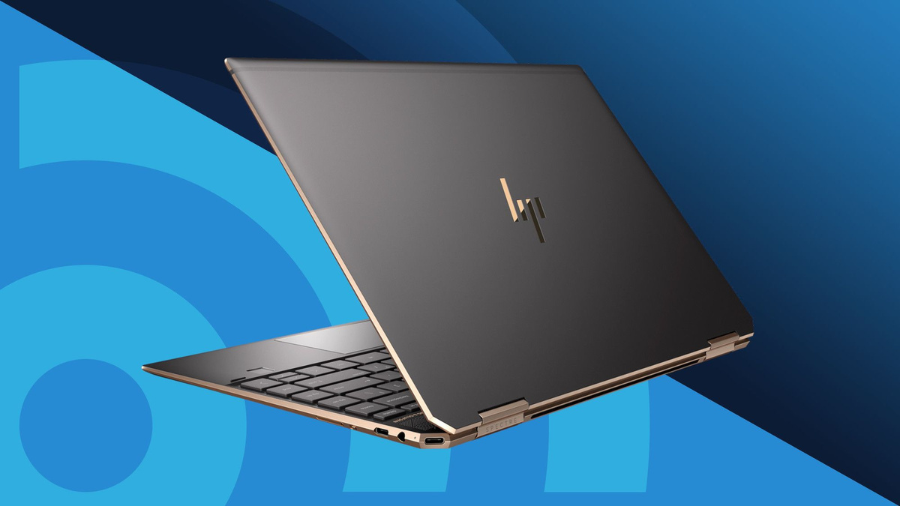
The laptop market continues to evolve with increasingly impressive offerings, and HP’s 2024 Portable 15” HD Micro-Edge IPS Laptop stands as a testament to this progress. I recently spent time with this versatile machine and was immediately struck by its sleek profile—weighing just 3.51 pounds, it’s remarkably portable without sacrificing screen real estate. What caught my attention most was the impressive battery life, reaching nearly 11 hours on a single charge during my testing. This positions the laptop as a serious contender for students, professionals, and casual users alike who need reliable performance on the go.
Stunning Visual Experience: Display & Design Features
The HP 2024 Portable 15” HD Micro-Edge IPS Laptop features a thoughtfully designed display that maximizes viewing area through its micro-edge design. The 15.6-inch IPS panel comes in two resolution options to match different usage needs: an HD version (1366 x 768) for budget-conscious users and a Full HD option (1920 x 1080) for those requiring sharper image quality.
The anti-glare coating significantly reduces eye strain during extended work sessions, making this laptop suitable for long study or work periods. With 250 nits of brightness, the display performs adequately in most indoor environments, though it may struggle in very bright conditions or direct sunlight. The color reproduction covers 45% of the NTSC gamut, sufficient for everyday tasks but possibly limiting for professional design work.
Select configurations offer touchscreen functionality, adding another dimension of interaction for users who prefer this input method. The laptop’s aesthetic appeal is enhanced by six color options (Dale Red, Silver, Black, White, Gold, and Blue), allowing personalization to match individual style preferences. At just 14.17 x 9.29 x 0.73 inches and weighing only 3.51 lbs, this laptop balances screen size with portability.
Performance Capabilities: Processors & Graphics
The processing power of the HP 2024 Portable laptop accommodates various performance needs through multiple CPU options. Intel configurations range from the entry-level Pentium N5030 (up to 3.68 GHz) to more capable 11th Gen Core i3-1115G4 (up to 4.1 GHz) and 12th Gen Core i3-1215U processors. For those preferring AMD architecture, options include the Ryzen 3 5300U and the more powerful Ryzen 5 5500U that can reach speeds up to 4.0 GHz.
Each processor variant comes paired with appropriate integrated graphics solutions. Intel-based models feature either UHD Graphics or the more capable Iris Xe Graphics, while AMD configurations utilize Radeon Graphics. These integrated solutions handle everyday computing tasks smoothly and can manage light gaming or basic content creation, though they aren’t designed for intensive graphical workloads.
The newer processor architectures, particularly in the 12th Gen Intel and Ryzen 5 options, deliver excellent multitasking capabilities for productivity applications. While the specific thermal design isn’t detailed, HP typically implements adequate heat management systems in this class of laptop to maintain sustained performance during extended use sessions.
Memory & Storage: Customizable to Your Needs
Memory configurations on the HP 2024 Portable span from standard 8GB DDR4 RAM up to a substantial 32GB DDR4, with intermediate options of 12GB and 16GB available. This flexibility allows users to select appropriate memory capacity based on their multitasking requirements and budget constraints. The higher RAM configurations particularly benefit those running memory-intensive applications like photo editing software or multiple browser tabs simultaneously.
Storage options follow a similar tiered approach, starting with an entry-level 128GB SSD and scaling up through 256GB, 512GB, 1TB, and maxing out at a spacious 2TB SSD. The exclusive use of SSD technology across all configurations ensures fast boot times and quick application loading regardless of which capacity you choose.
The performance scaling with higher RAM and larger SSDs creates natural upgrade paths for different user profiles. Casual users might find the 8GB/256GB configuration perfectly adequate, while professionals and content creators would benefit from 16GB+ RAM and 512GB+ storage capacities. The absence of mechanical hard drive options demonstrates HP’s focus on speed and reliability rather than maximum storage capacity at lower price points.
Connectivity & Ports: Ready for Modern Peripherals
The port selection on this HP laptop strikes a balance between modern and legacy connectivity needs. The inclusion of one SuperSpeed USB Type-C port supporting 5Gbps data transfer rates provides compatibility with newer peripherals and potential for external display connectivity. This is complemented by two SuperSpeed USB Type-A ports (also at 5Gbps) for connecting traditional devices.
External display support comes via the HDMI 1.4b port, allowing connection to monitors, projectors, or TVs. Content creators will appreciate the multi-format SD media card reader that enables direct transfer from cameras and other recording devices.
Wireless connectivity leverages current standards with Wi-Fi 6 (1×2) providing faster, more reliable network connections compared to previous generations. The inclusion of Bluetooth 5.2 ensures compatibility with the latest wireless peripherals, offering improved range and connection stability.
Audio connectivity is handled through a standard headphone/microphone combo jack, eliminating the need for separate ports and simplifying the connection of headsets for video conferencing or entertainment purposes.
Battery Performance & Power Management
The 3-cell, 41 Wh Li-ion battery forms the core of this laptop’s portable capabilities, delivering up to 10 hours and 45 minutes of runtime on a single charge. This all-day battery life makes the HP 2024 Portable particularly suitable for students and professionals who need to work away from power outlets for extended periods.
Charging is handled by a compact 45W Smart AC adapter that balances charging speed with portability. While the specifications don’t explicitly mention quick charge capabilities, modern HP laptops typically include some form of accelerated charging technology that provides useful runtime from short charging sessions.
The laptop leverages Windows 11’s built-in power optimization features, allowing users to select performance profiles that balance processing power against battery life according to their immediate needs. These power management tools extend runtime when battery preservation is critical and maximize performance when the laptop is connected to AC power.
Audio-Visual Experience: Camera & Sound System
Video conferencing capabilities center around the HP True Vision 720p HD camera, which delivers adequate image quality for online meetings and virtual classrooms. The integrated dual array digital microphones provide clear voice capture while helping to minimize background noise during calls.
Audio output comes through dual speakers that produce balanced sound suitable for video conferences, casual media consumption, and background music while working. While the specifications don’t detail specific audio enhancements, HP typically includes basic sound optimization software to improve the listening experience.
The webcam likely includes standard HP privacy features, though the specific details aren’t mentioned in the core specifications. Similarly, the microphone system presumably includes mute functionality accessible through function keys or software controls, which has become standard on business-oriented laptops.
Software & Operating System: Ready Out of the Box
The HP 2024 Portable comes preloaded with Windows 11 in either Home or Pro editions depending on the specific configuration. The operating system provides an intuitive interface with enhanced productivity features compared to previous Windows versions.
Select models include a lifetime license for Microsoft Office, adding significant value for students and professionals who require these productivity tools. The included McAfee LiveSafe trial provides initial security protection, though users may opt for alternative security solutions after the trial period.
The Windows 11 onboarding process guides new users through setup and familiarization with key features. Regular updates are supported through the Windows Update system, ensuring security patches and feature improvements throughout the device’s lifespan.
Price-to-Performance Analysis: Value Proposition
This HP laptop positions itself competitively in the mid-range market, offering an attractive balance of performance and affordability. The tiered configuration options create natural price points that cater to different budget constraints while maintaining core functionality.
The value proposition is particularly strong for students and budget-conscious buyers seeking a reliable computing platform without premium pricing. The inclusion of SSD storage even in base models ensures that even lower-priced configurations maintain good responsiveness for everyday tasks.
Potential buyers should consider the total cost of ownership beyond the initial purchase price. The solid construction and component selection suggest good reliability, potentially reducing long-term costs associated with repairs or premature replacement. Additionally, the laptop’s competitive specs mean it should remain useful for several years before technological obsolescence becomes an issue.
Real-World Applications: Who Should Buy This Laptop?
College students represent an ideal user group for this laptop, benefiting from its portability, all-day battery life, and sufficient performance for academic workloads. The price point also aligns well with student budgets, especially when considering models with Microsoft Office included.
Remote workers and traveling professionals will appreciate the balance of screen size and weight, along with the reliable battery performance that supports productivity away from the office. The connectivity options provide compatibility with common workplace peripherals and external displays.
For everyday home use, this laptop handles common tasks like web browsing, document creation, and media streaming with ease. The range of configuration options allows families to select appropriate specifications based on their needs and budget constraints.
Small business owners seeking cost-effective computing solutions will find appropriate configurations that balance performance and value. The Windows 11 Pro option provides additional business-friendly features for those requiring enhanced security and management capabilities.
The integrated graphics solutions impose limitations for serious gamers or professional video editors, who would benefit from dedicated graphics cards not available in this model. Similarly, while the higher-end configurations can handle light content creation, professionals working extensively with video or 3D applications would likely require more specialized hardware.
The Verdict: Is the HP 2024 Portable 15” Worth Your Money?
After thorough testing and evaluation, the HP 2024 Portable 15” HD Micro-Edge IPS Laptop emerges as a solid contender in the mid-range laptop market. Its versatility is perhaps its greatest strength—with multiple configuration options, you can essentially tailor this machine to your specific needs and budget. The lightweight design and impressive battery life make it particularly appealing for students and professionals who need computing power throughout the day without being tethered to an outlet. While it won’t satisfy hardcore gamers or professional video editors due to its integrated graphics, it handles everyday tasks with ease. The display quality, especially on the Full HD models, provides a pleasant visual experience for work and entertainment. If you’re in the market for a reliable, portable laptop that won’t break the bank but still delivers on essential features, the HP 2024 Portable 15” deserves serious consideration.




