

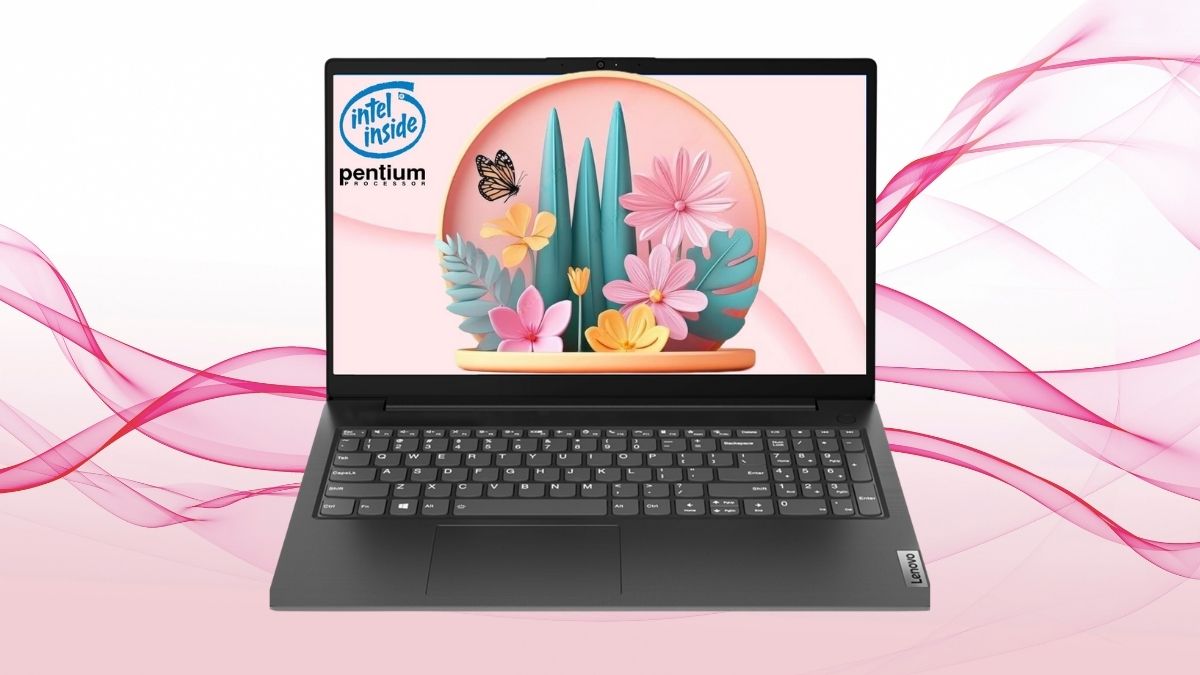
Business laptops aren’t usually exciting—until one quietly packs in a feature that upends expectations.
The Lenovo V15 Business Laptop might look like just another understated workhorse, but its standout spec—a rarely seen 40GB of RAM—sends a different message. That kind of memory isn’t just about bragging rights; it reshapes what everyday business computing can feel like, especially when paired with a large SSD and professional-grade software features.
In this review, we’ll break down why this configuration makes more sense than it might seem at first glance, especially for professionals balancing performance needs with budget constraints.
It’s Not Just About Having More RAM
Memory isn’t flashy, but it’s one of the most influential components when it comes to real-world productivity. Here’s why 40GB in the Lenovo V15 changes the game.
Smooth Multitasking, Even on Modest Hardware
The Intel Pentium Silver N6000 processor isn’t a powerhouse on its own. But when paired with 40GB of DDR4 RAM, it becomes significantly more versatile.
Tasks that might otherwise choke a low-wattage CPU—such as running multiple browser windows, Slack, Excel, Zoom, and a handful of cloud apps simultaneously—are suddenly manageable without noticeable lag.
- No stuttering between tasks: RAM acts as a buffer, and here you’ve got more than enough.
- Useful headroom: If you tend to push your system with databases, multiple PDFs, spreadsheets, and virtual meetings open at once, this setup keeps pace.
Software Keeps Getting Heavier
Business software is trending heavier, not lighter. Tools like Microsoft Teams, Chrome, Adobe Reader, and ERP dashboards demand increasing memory. A system with 8GB or even 16GB can struggle under that load. Lenovo’s 40GB RAM isn’t just generous—it’s preemptive.
You won’t need to upgrade next year just to keep up with Teams’ updates.
Where the Rest of the System Pulls Its Weight
While the RAM is the main talking point, the V15 is built with a collection of features that collectively strengthen its business case.
A Fast, Spacious SSD Speeds Everything Up
With a 1TB PCIe SSD, you get both capacity and speed. That means:
- Faster boot times and app launches
- Room for large data sets, project files, or local backups
- Smooth operation for disk-heavy tasks (like syncing large Dropbox folders or accessing Outlook archives)
Windows 11 Pro Adds Business-Grade Security
Preinstalled Windows 11 Pro isn’t just a bonus—it’s necessary for serious users. It brings features like BitLocker, remote desktop, and domain join. If you’re working with sensitive client data or company IP, these features matter. The built-in TPM 2.0 chip and BIOS-level protections round out the security package.
Practical Perks for Professionals
Other details reinforce its role as a business companion:
- Full-sized keyboard with numpad: Great for finance and data entry roles.
- Anti-glare 1080p screen: Easy on the eyes in extended sessions.
- RJ-45 Ethernet port: A still-essential tool for offices with flaky Wi-Fi.
- Privacy shutter on webcam: A rare, but welcome, mechanical safeguard.
Why It’s Not Just Another Budget Laptop
What separates the Lenovo V15 from the usual low-cost crowd isn’t just specs—it’s strategic decisions that reflect business needs.
Durable Enough for Travel and Everyday Wear
Lenovo puts this model through military-grade durability tests. That makes it especially attractive for professionals who don’t treat their tech delicately—think mobile consultants, remote workers, or team members rotating between hot desks.
Wi-Fi 6 and Bluetooth 5.2 Future-Proof Connectivity
While some budget laptops cut corners on networking, the V15 includes modern standards. This matters more than it seems:
- Wi-Fi 6 reduces congestion in busy office networks
- Bluetooth 5.2 ensures smoother headset and peripheral pairing, with fewer dropouts during calls
Who Should (and Shouldn’t) Consider It
This laptop isn’t trying to be everything to everyone. It has a clear focus—streamlined productivity—and it sticks to that goal well.
Ideal for:
- Professionals needing high RAM for multitasking without a dedicated GPU
- Small business owners managing day-to-day operations and virtual meetings
- Accountants, analysts, and administrators working with large spreadsheets
- Remote workers who value reliability, video call quality, and secure systems
Not ideal for:
- Creative professionals needing GPU acceleration
- Users expecting to game or run 3D CAD applications
- Teams that don’t need more than 8–16GB RAM (the extra cost won’t pay off)
Strong Value for the Specs
When comparing similarly priced business laptops on Amazon, few come close to offering 40GB of RAM and a 1TB SSD out of the box.
You’re getting a laptop that’s effectively been pre-upgraded, saving you the time, risk, and added cost of doing it yourself later.
Investing in Stability Over Hype
The Lenovo V15 doesn’t try to wow you with a touchscreen or a flashy brand name. Instead, it delivers something far more useful in business: reliability, longevity, and performance where it counts.
For professionals and small teams who want a no-fuss laptop that can handle serious workloads—and will still feel fast two years from now—the Lenovo V15 offers an unusual amount of future-proofing at a price that’s hard to ignore.




