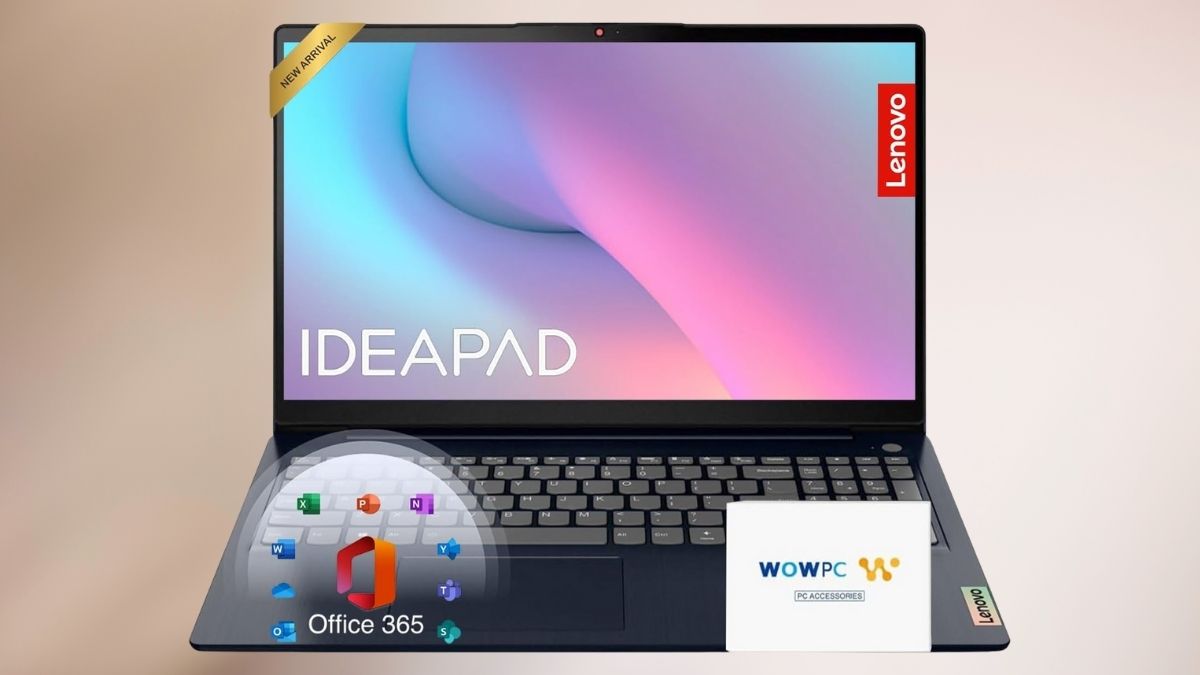
Choosing a reliable laptop in 2025 feels more complex than ever. Between specs, software bundles, and confusing marketing terms, it’s easy to get lost.
The Lenovo IdeaPad 15.6″ Laptop with Microsoft 365 Home and Business bundle aims to simplify that decision — pairing dependable hardware with familiar productivity tools. But does it actually deliver a balanced experience for work, study, and everyday life? After a few weeks of testing, here’s what I found.
First Impressions: Solid but Unpretentious
Lenovo has built a reputation around practicality, and this IdeaPad keeps that tradition alive. It’s not flashy — no metallic unibody design or edge-to-edge OLED screen here — but it does feel purposeful. The plastic build is sturdy enough for daily use, weighing just over 3 pounds. It’s light enough to move around the house or carry in a backpack, yet doesn’t feel fragile.
Open it up, and you’re greeted with a full-size keyboard that’s surprisingly comfortable for long typing sessions. The trackpad is decently sized and responsive, though not as silky as those found in pricier laptops. It’s utilitarian design done right — nothing extravagant, but everything works.
Performance and Everyday Use
Before diving into benchmarks and specs, what really matters is how a laptop feels in daily life — whether it can handle your routine without hiccups or hesitation. The Lenovo IdeaPad’s performance tells an interesting story here.
Smooth for the Basics
Under the hood, you’ll likely find Intel’s Pentium Silver N6000 processor paired with 12GB of RAM and a 256GB SSD. It’s not a performance powerhouse, but for the intended audience — students, professionals, and casual users — it’s just right. Word processing, web browsing, spreadsheets, and streaming all run smoothly.
The 12GB RAM is a sweet spot for multitasking. I could juggle over a dozen Chrome tabs, stream a video, and edit a document without noticeable slowdown. Boot-up times are fast, too — the SSD gets you from powered off to desktop in roughly ten seconds.
But Know Its Limits
Where it starts to falter is with heavier workloads. Editing large photos or rendering videos quickly pushes the hardware to its limits. You’ll also notice lag with graphics-intensive tasks like gaming. This isn’t a creative workstation — it’s designed for efficiency, not horsepower.
Display and Audio: Built for Productivity, Not Cinema
The 15.6-inch display offers Full HD resolution, which looks crisp enough for work and streaming. However, it’s not particularly bright, hovering around 220 nits, which can be challenging in direct sunlight. Colors are serviceable for everyday use, but creatives might crave better accuracy.
The speakers, meanwhile, are functional but flat. They get loud enough for a video call or background music, but you’ll want headphones for richer sound.
Battery Life and Portability
Lenovo advertises up to 11 hours of battery life, but real-world use paints a different picture. During mixed tasks — browsing, video calls, and document work — I averaged closer to 5 or 6 hours. Still, that’s enough to get through a workday or several classes with light use. Charging is quick, and the lightweight design makes it easy to grab and go.
Microsoft 365 Home and Business: The Real Bonus
What makes this IdeaPad stand out is the included Microsoft 365 Home and Business bundle — a one-year subscription that adds real value.
You get full versions of Word, Excel, PowerPoint, and Outlook, plus 1TB of OneDrive cloud storage. For many, this transforms the laptop from a simple device into a complete productivity system. Files sync seamlessly between laptop and mobile, so you can start a document on your phone and finish it later on the IdeaPad.
Once the free year ends, you’ll need to decide whether to renew the subscription, but for the first twelve months, it’s an incredible convenience.
Connectivity and Extras
You’ll find a healthy range of ports — USB-C, USB-A, HDMI, and even an SD card slot for easy photo transfers. Wi-Fi 6 ensures quick, stable connections, and Bluetooth works smoothly with peripherals.
A small but thoughtful inclusion is the WOWPC Recovery USB stick. It acts as a backup tool, allowing you to restore the laptop to factory settings if Windows ever crashes. It’s a nice touch that adds peace of mind for less tech-savvy users.
Real-World Verdict
After a few weeks of daily use, here’s the bottom line: the Lenovo IdeaPad 15.6″ Laptop with Microsoft 365 is not trying to compete with premium ultrabooks — and that’s perfectly fine.
It’s a practical, capable machine that fits comfortably into the life of a student, remote worker, or anyone who needs a reliable everyday laptop without overspending. It’s not built for gaming or creative editing, but for writing, researching, emailing, and streaming? It does all that — efficiently and quietly.
The Microsoft 365 subscription, fast SSD, and solid RAM configuration make it a smart buy for anyone entering or re-entering the productivity world in 2025.
Lasting Impressions
If you want a laptop that simply works — no frills, no gimmicks — the Lenovo IdeaPad 15.6″ with Microsoft 365 deserves a spot on your shortlist. It’s an easy recommendation for students, families, or professionals who want value, stability, and everyday reliability.
And since it’s part of Amazon’s new releases, it’s worth browsing similar laptops in the same category. You might just find another hidden gem that fits your workflow even better.