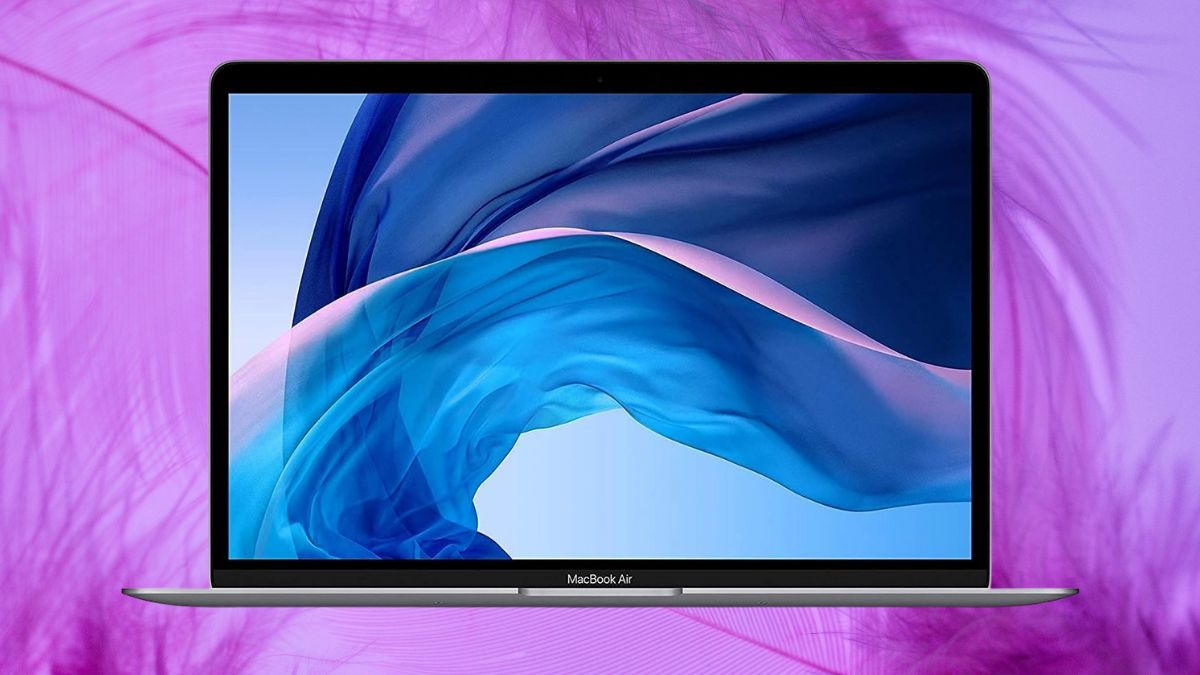
For those seeking an affordable entry into the Apple ecosystem, the renewed MacBook Air (Early 2020) presents a compelling option.
This base configuration—with an Intel Core i3 processor, 8GB of RAM, and a 256GB SSD—often sells for under $350, offering a significantly lower-cost alternative to newer Apple models. While attention has shifted toward Apple’s M-series chips, this Intel-based Air still holds its own for everyday tasks.
With its premium unibody aluminum design, crisp Retina display, and refined typing experience, it delivers far more than its price might suggest. But how does it really perform in 2025, and what trade-offs should you expect from a renewed, Intel-powered MacBook?
Let’s explore its strengths, limitations, and who it’s best suited for.
What Does “Renewed” Actually Mean?
Renewed MacBooks undergo a standardized refurbishment process that includes inspection, component testing, and cleaning. These devices are restored to full working condition, with key features like battery health typically meeting a minimum of 80% capacity.
While cosmetic wear—such as light scratches—may be visible, functionality remains unaffected. Packaging is often generic rather than Apple-branded, and warranty coverage typically starts at 90 days, depending on the seller.
The real draw here is value. Renewed MacBooks can cost 40–60% less than their original retail price, making them an accessible option for users who want Apple hardware without paying new-model premiums.
Key Hardware Specifications & Design
Despite being five years old, the Early 2020 MacBook Air offers a solid mix of features that still feel current.
Processing Power and Memory
- Intel Core i3-1000NG4: Dual-core, 1.1GHz base, up to 3.2GHz with Turbo Boost.
- 8GB LPDDR4X RAM: Soldered, non-upgradable, but sufficient for light multitasking and productivity.
Storage and Display
- 256GB PCIe SSD: Fast boot and app load times, but no upgrade path.
- 13.3″ Retina Display: 2560×1600 resolution with True Tone for adaptive white balance.
Connectivity and Dimensions
- Ports: Two Thunderbolt 3/USB-C ports, one headphone jack.
- Wireless: Wi-Fi 5 (802.11ac), Bluetooth 5.0.
- Size & Weight: 11.97″ × 8.36″ × 0.63″; just 2.8 pounds.
- Battery: Up to 8 hours on web browsing—less than M-series models, but still practical for most daily use.
Real-World Performance Analysis
This MacBook Air is well-suited for standard productivity tasks and everyday computing.
Benchmark Performance
- Geekbench 6 scores: ~1,066 single-core, ~1,899 multi-core.
- These scores indicate basic multitasking and smooth operation with lightweight apps, but show clear limitations for intensive workloads.
Daily Use
- Easily handles web browsing with 10–15 tabs open.
- Smooth performance with Microsoft Office, Google Docs, and video conferencing (though the 720p webcam shows its age).
- Capable of streaming 4K media and benefits from surprisingly clear Dolby Atmos-enabled speakers.
Limitations
- Resource-heavy apps (like Final Cut Pro or Adobe Photoshop) can push the system beyond its comfort zone.
- Only supports macOS Monterey, with no guarantee of future OS compatibility.
- Thermal throttling can occur under sustained heavy use, especially when multitasking or exporting media files.
Advantages of This Specific Configuration
Despite its entry-level specs, this MacBook Air has key strengths that make it stand out in its category.
- Magic Keyboard: Reliable scissor-switch design replaces the problematic butterfly mechanism.
- Improved thermals: Lower heat output than i5/i7 models keeps fan noise minimal.
- Storage upgrade: Doubles the 128GB base from earlier generations, offering better usability out of the box.
- Force Touch trackpad: Remains a gold standard for gesture precision and click feel.
- Portability: Weighing under 3 pounds, it’s built for mobility.
Limitations and Considerations
Before jumping in, it’s important to know what this MacBook doesn’t do well.
- Dual-core limitations: Not built for creative professionals or heavy multitasking.
- Port count: Just two USB-C ports can be limiting—dongles or hubs may be necessary.
- Webcam quality: Subpar by 2025 standards, especially for frequent video calls.
- 8GB RAM: Fine for basics, but may feel tight when juggling multiple large apps or browser tabs.
- Battery health: Renewed models often have slightly reduced battery life due to wear—something to check with sellers.
Ideal Use Cases and User Profiles
This configuration aligns well with:
- Students: Excellent for research, writing, and online coursework.
- Remote workers: Ideal for word processing, spreadsheets, and video calls.
- Budget-conscious users: Great value for those wanting macOS without the premium price.
- Frequent travelers: Lightweight and compact for working on the go.
- Secondary device users: Complements a more powerful desktop setup for mobile productivity.
Basic creative work—such as light photo editing—is doable, but demanding tasks are better left to newer M1 or M2 machines.
Buying Advice: What to Check Before Purchase
To avoid surprises, keep these considerations in mind when shopping for a renewed unit:
- Battery cycle count: Under 300 cycles is ideal.
- Seller reputation: Prioritize vendors with strong ratings and transparent return policies.
- Included accessories: Confirm the charging cable and adapter are part of the package.
- Warranty: Some sellers offer longer protection plans—worth exploring.
- Return window: Make sure you have time to test the device thoroughly.
Comparing listings across platforms (Amazon, Back Market, eBay, etc.) can also yield better pricing or better-conditioned units.
Smart Investment or False Economy?
The Early 2020 MacBook Air with i3, 8GB RAM, and 256GB SSD holds unexpected value in 2025.
Priced around $339 to $399, it delivers a high-quality user experience for everyday computing tasks. For those who prioritize build quality, portability, and typing comfort over raw performance, it’s an excellent option.
That said, it’s not the best fit for power users. Intensive tasks, creative workloads, and future-proofing concerns all suggest opting for newer M-series machines if your budget allows.
But for students, writers, and everyday users looking for a reliable Mac experience at a fraction of the cost, this renewed MacBook Air delivers surprising staying power—and does so without feeling like a compromise.