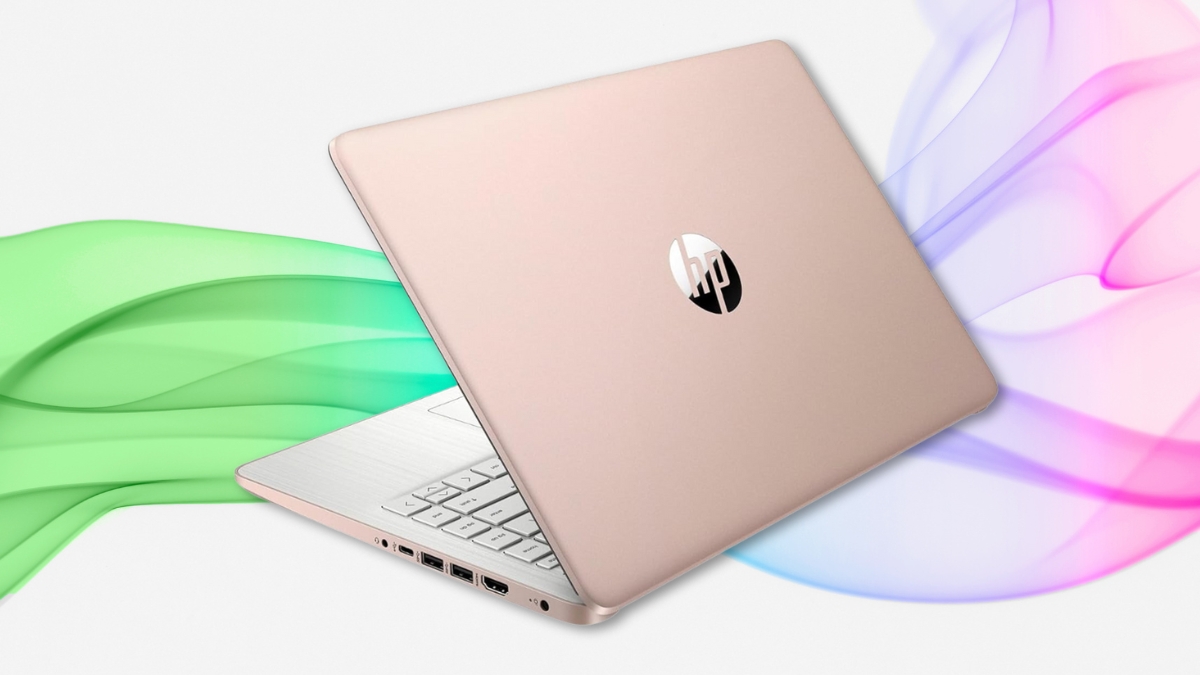
If you’re on a tight budget but still want a laptop that feels snappy and handles your everyday tasks, the HP Stream 14 Laptop might be your perfect match. It looks good, runs smooth, and has just the right balance of storage, speed, and simplicity. At $309, it gives you strong value without the unnecessary fluff.
You’ll find 16GB RAM, 288GB of total storage, and a 14-inch screen that’s easy to carry around. It’s lightweight, built for daily tasks, and it doesn’t break the bank.
Here’s why this laptop deserves a closer look.
HP Stream 14 Laptop: A Closer Look at What You’re Getting
This 14 inch notebook runs on an Intel Celeron N4120 chip. That means you can browse, type, stream, and take video calls without slowdowns. It’s not meant for heavy editing or gaming, but for regular use, it holds up well.
The 16GB RAM helps you switch between tabs and apps without lag. That’s double or even quadruple the memory you usually get in a budget Windows laptop.
Storage includes 128GB built-in plus 160GB more from the docking station setup. That gives you space for documents, photos, and your must-have apps. It also includes a 32GB MicroSD card for even more room to move files around.
A Solid Pick for Students and Everyday Tasks
This is a reliable HP student laptop. It’s easy to carry, quick to set up, and works well with learning platforms and Microsoft Office. It also includes a full year of Office 365 Personal, giving you Word, Excel, PowerPoint, and 1TB of OneDrive storage.
The battery lasts about 7 to 8 hours with regular use—enough to get through school days or light work sessions. And when it’s time to recharge, it’s quick and painless.
Lightweight Build, Good Looks, Easy Use
The gold finish adds a bit of style, and at 3.24 pounds, it’s light enough to toss in a bag. The keyboard is full-sized, comfortable, and good for writing papers or emails. The trackpad responds well and supports gestures.
Port selection includes USB-C, two USB-A ports, HDMI, and a headphone jack. It’s enough to plug in most accessories without extra hubs.
A Laptop with Webcam and All the Basics Covered
You get a built-in laptop with webcam—standard 720p resolution. It works well in good lighting and is fine for Zoom calls or online classes. Don’t expect studio-level video, but it gets the job done.
Audio comes through bottom-firing speakers. They’re good for video calls and casual watching, though not ideal for loud environments or full bass. Plug in your favorite headphones or Bluetooth speaker if you want more volume.
Heat is managed well. It stays quiet thanks to a fanless design. You’ll feel a little warmth under load, but it doesn’t get uncomfortable during normal use.
Perfect for Basic Work, Light Streaming, and Simple Needs
This Celeron powered laptop can handle web browsing, streaming, document editing, and cloud tools like Google Docs. You can open 6–8 tabs without slowing things down too much. It also runs Windows 11 Home in S Mode, which keeps things secure and clean.
Want to install more apps? You can switch out of S Mode anytime for free.
Startup is quick—about 20 seconds to boot up, and just a couple of seconds to wake from sleep.
All the Extras That Add Value
This setup includes:
- A 7-in-1 docking station
- A USB Type-C data cable
- A 3-in-1 charging cable
- A 32GB MicroSD card
- A screen-cleaning cloth
These extras save you from buying add-ons separately. They turn your laptop into a flexible work or school station right out of the box.
The Best Part? You Get Microsoft Office
This laptop with Office includes a full one-year Microsoft 365 Personal subscription. You get access to the full suite of apps and a full terabyte of cloud storage.
That’s a huge bonus, especially if you’re doing schoolwork or office tasks. You won’t need to buy software separately.
The HP Student Laptop That Makes Budget Look Good
For students, casual users, and anyone who just needs a solid laptop for everyday stuff, this one fits the bill. You’ll get:
- Good speed for multitasking
- More storage than expected
- A solid typing and viewing experience
- Office apps included
- And the accessories you need
At just $309 (down from $399), it’s a smart buy. Add in Amazon’s $80 Store Card deal, and you could bring the total down to around $229.
A Quick Recap: What Works and What to Know
What you’ll like:
- Lightweight and portable
- Smooth performance with 16GB RAM
- Big storage bump
- One year of Office 365
- Clean, simple design
What to expect:
- Not built for editing or gaming
- Webcam is basic but usable
- Screen works best indoors
- S Mode limits some apps (but can be turned off)
Is the HP Stream 14 Laptop Worth It?
If you’re hunting for a simple, affordable, no-fuss laptop, this one delivers. The HP Stream 14 Laptop covers school, basic work, video calls, streaming, and everyday online tasks without slowing you down.
It’s not flashy, but it does what it’s meant to do—and does it well. The added accessories and Office 365 make it feel like a full package, not a stripped-down machine.
You’ll find it on Amazon with solid ratings and plenty of happy users behind it.
Go for it if you want a budget laptop that keeps things easy, reliable, and smooth. Just don’t expect it to replace your gaming rig or your editing setup.