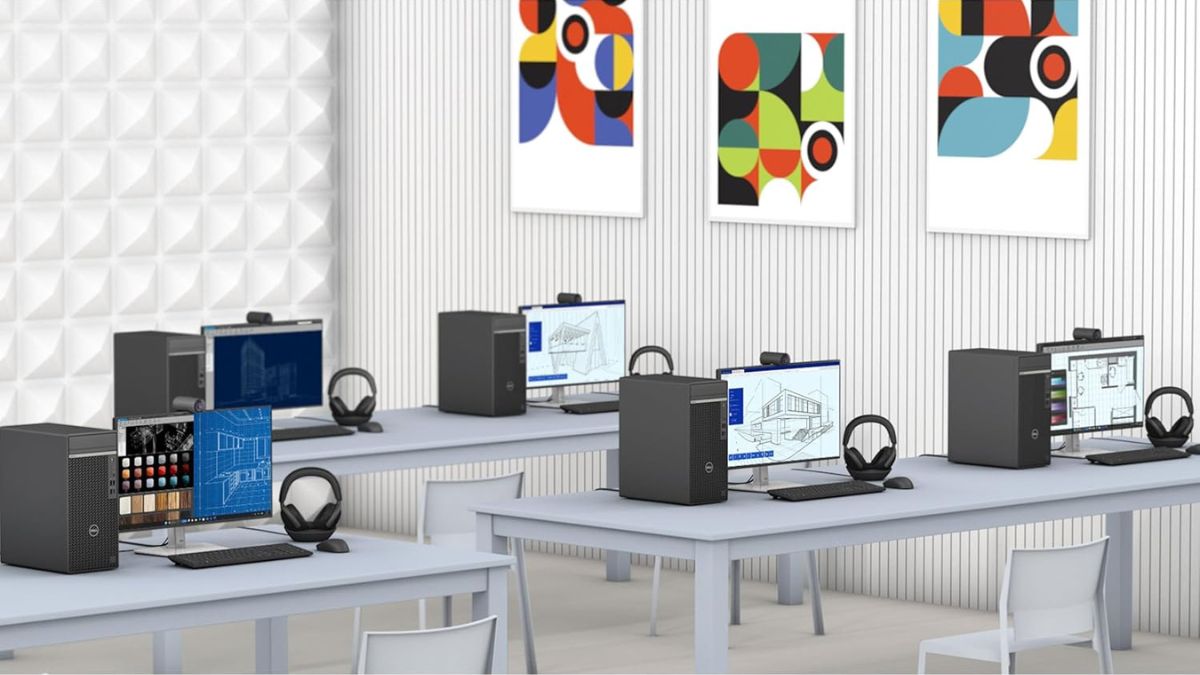
Modern business desktops don’t often surprise—but the Dell OptiPlex 7010 Tower challenges that expectation with its smart hardware choices, enterprise features, and budget-conscious pricing.
Built around a 12th Gen Intel Core i5-12500 processor, this system promises top-tier performance for professional workloads without drifting into high-end workstation territory.
Whether you’re outfitting a small office or upgrading your remote setup, this review unpacks how the OptiPlex 7010 strikes a smart balance of power, practicality, and value.
Built to Perform: Inside the OptiPlex 7010 Tower
This configuration goes beyond basic productivity—it’s engineered to support multitasking-heavy workflows, mid-level content creation, and even light server roles for small teams.
CPU: 12th Gen Intel Core i5-12500
- 6 performance cores / 12 threads, turbo up to 4.6 GHz
- Beats many older Core i7 processors in both single and multi-core benchmarks
- Geekbench 5 scores: ~1683 (single-core), ~6130 (multi-core)
This level of performance easily handles complex spreadsheets, CRM databases, browser-heavy multitasking, and even basic creative workloads.
RAM and Storage
- 32GB DDR4 RAM: No need to upgrade out of the box—this is workstation-grade multitasking headroom.
- 1TB NVMe SSD: Fast read/write speeds, fast boots, rapid file access. Ideal for offices dealing with large files or many open apps.
This combination ensures long-term usability, especially in multitasking scenarios or with resource-heavy apps like Adobe Acrobat, Zoom, or MS Teams.
Made for Business: Features That Matter
Beyond raw specs, Dell designed the 7010 to integrate easily into business environments—physically and digitally.
Windows 11 Pro
- Enhanced encryption, remote desktop access, and domain join features.
- Ideal for enterprise-level IT management and security.
Graphics and Display Support
- Intel UHD 770 graphics: Handles dual monitors via HDMI and DisplayPort, supports video conferencing and light design work.
- Not suitable for gaming or CAD—but more than adequate for typical business visuals.
Ports and Connectivity
- USB 3.2 Gen 1 & Gen 2, USB 2.0, HDMI 1.4, DisplayPort 1.4, audio I/O, Gigabit Ethernet
- USB Wi-Fi adapter included, though a built-in solution would’ve freed up a port.
Whether you’re plugging in multiple peripherals or working across multiple displays, the available ports offer flexibility out of the box.
Business Management Tools
- Intel vPro & remote BIOS management support remote IT operations, simplifying maintenance across a fleet of machines.
- A major asset for distributed teams or lean IT departments.
Durable, Accessible, and Quiet
Dell stays true to its business roots with a design that emphasizes longevity, cooling efficiency, and serviceability.
- Metal tower chassis: Rugged and well-ventilated for long-term use.
- Tool-less access: Makes RAM and drive upgrades simple.
- Thermal performance: Stays cool and quiet under typical office loads—fans only ramp up during sustained CPU stress.
Who It’s For: Real-World Applications
This isn’t a niche desktop—it’s an all-purpose tool for everyday professionals.
- Office Productivity: Runs Office apps, browser tabs, Teams/Zoom, and CRM software simultaneously with no slowdowns.
- Light Content Creation: Handles Photoshop, Canva, and basic Premiere edits. Not a full creative suite workhorse, but reliable for occasional editing.
- Education: Perfect for faculty workstations or lab environments—fast, stable, and easy to maintain.
- Small Business: Can handle accounting, POS, scheduling, and even light server functions like shared file hosting.
Gaming or 3D rendering? Not ideal. The UHD 770 graphics limit its potential in those areas. But for nearly everything else, it holds its own.
Value That Lasts
When looking at total cost of ownership, the Dell OptiPlex 7010 Tower offers excellent long-term value.
- Price range: $699–$779 (often available on Amazon)
- Better-than-average specs at this price point: 32GB RAM and 1TB SSD aren’t typical in this segment
- Included accessories: Wired mouse, keyboard, and a DVD±RW drive (still useful for legacy needs)
- Lower maintenance costs due to durable build and simplified internal access
- Windows 11 Pro license adds enterprise functionality that typically costs more
For most professional users, this eliminates the need for any immediate upgrades—making it a smart up-front investment.
Flashy, But Exceptionally Capable
The Dell OptiPlex 7010 Tower Desktop isn’t trying to be sleek or cutting-edge. It’s built for people who need fast, dependable performance for real work—and it delivers.
The combination of a strong CPU, generous memory, and fast storage in a business-friendly tower format makes this system ideal for professionals, educators, and small business owners alike.
While its lack of dedicated graphics and built-in Wi-Fi might deter a few niche users, those minor drawbacks are easy to work around. For the price, especially with configurations available on Amazon, it’s one of the best business desktop values on the market today.