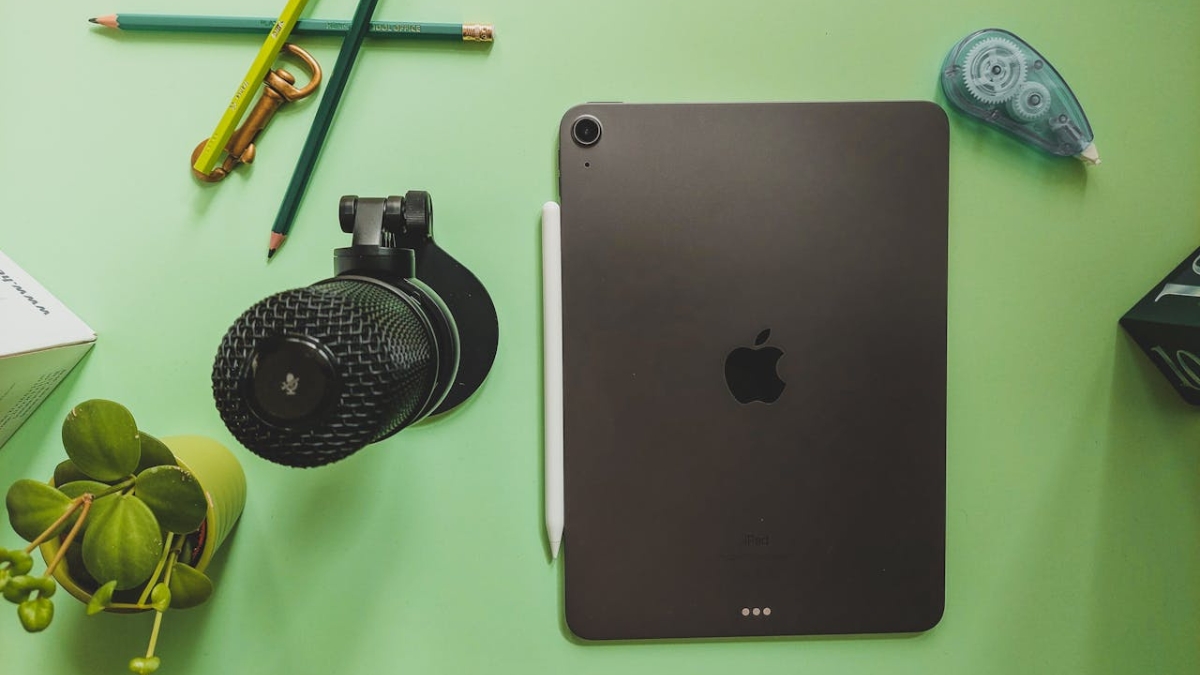
The Apple iPad Air just got a major upgrade, and this one means business. With the new M3 chip, smoother multitasking, and a starting storage of 128GB, this tablet feels faster, sharper, and more useful than ever. It’s available in both 11-inch and 13-inch sizes, giving you more flexibility depending on how you work or relax. Whether you’re sketching, editing videos, joining Zoom calls, or binge-watching your favorite series, the 2024 iPad Air handles it all without breaking a sweat.
The price starts at $599 for the 11-inch Wi-Fi model and $799 for the 13-inch. You’re getting close-to-Pro-level performance at a much better value. This device slides right into that sweet spot between casual and professional use.
Here’s what makes this iPad feel like a smart pick in 2025.
Apple iPad Air: Performance That Feels Like an Upgrade
One of the biggest changes is the M3 chip. It’s fast, smooth, and efficient. Apps load quicker, and even heavy-duty ones like video editors or design software run without lag. You can game, stream, sketch, or hop between tasks without slowdowns.
The 8-core CPU and 9-core GPU combo puts it right near the performance of last year’s iPad Pro models. So if you’re asking, “what is the best iPad to buy” for both work and play, this model makes a strong case.
The 128GB storage gives you enough room for everyday tasks. You’ll only need more if you’re editing lots of 4K videos or saving large design files. There’s also a 256GB option if that sounds like you.
Which Size Feels Right for You
This year, Apple added a 13-inch version to the iPad Air family. It’s a great fit if you want more screen space without jumping to the iPad Pro. Both the 11-inch and 13-inch screens are Liquid Retina with True Tone, P3 wide color, and anti-reflective coating. The brightness hits 500 nits, good enough for most lighting situations.
Colors look clear and accurate, whether you’re watching movies, editing photos, or drawing in Procreate. The larger screen works well for multitasking or anyone who needs extra room for creative tools.
Camera Updates That Actually Matter
The front camera has moved to the longer side of the screen. This helps a lot if you use the iPad with a keyboard in landscape mode. You’ll look centered during video calls thanks to the 12MP lens and Center Stage feature that keeps you in frame.
The back camera still holds its own for scanning documents or casual photos. It’s 12MP and shoots in 4K at up to 60fps. It’s sharp enough for Zoom, scanning notes, or quick product shots.
Yes, You Can Connect the Apple Pencil and More
Let’s answer this straight. Yes, you can register an Apple AirTag using an iPad. As long as you’re logged in with your Apple ID and running iPadOS 17 or newer, you’re good to go. It works the same way it does on iPhones.
And if you’re wondering how to connect the Apple Pencil to the iPad Air, here’s the short version. Use either the Apple Pencil Pro or Apple Pencil USB-C. Just plug it in once to pair, and you’re done. The Pro version even adds cool features like hover previews and squeeze gestures. Perfect for designers and note-takers.
Is This One of the Best iPads Right Now?
If you’re trying to figure out the best iPads for 2025, this model makes things easier. It hits the mark for price, performance, and features. Students can take notes and stream lectures. Creators get enough power for editing and drawing. Business users can reply to emails, run presentations, and multitask on the go.
The battery lasts all day. You’ll get around 10 hours with regular use. Streaming video or light work can stretch that further. If you’re editing 4K videos or gaming non-stop, expect a bit less. Still, the 30W fast charging gets you back up quickly—50 percent in about 30 minutes.
The Magic Keyboard and Smart Keyboard Folio turn this into a real productivity tool. Add a Pencil, and you’ve got a strong laptop alternative for work and creativity.
Should You Buy the 2025 iPad Air?
This new Apple iPad Air feels like the smart pick in Apple’s tablet lineup. It’s cheaper than the iPad Pro but doesn’t feel stripped down. You still get the fast M3 chip, high-quality display, Apple Pencil support, and great battery life.
If you want a powerful tablet without spending over a thousand bucks, this one’s a solid bet. The 13-inch model is great for creatives and multitaskers. The 11-inch keeps things compact but just as capable.
Looking to grab one? You can check out the latest prices and deals on Amazon. Pick the size and storage that fits your needs, and you’re set.