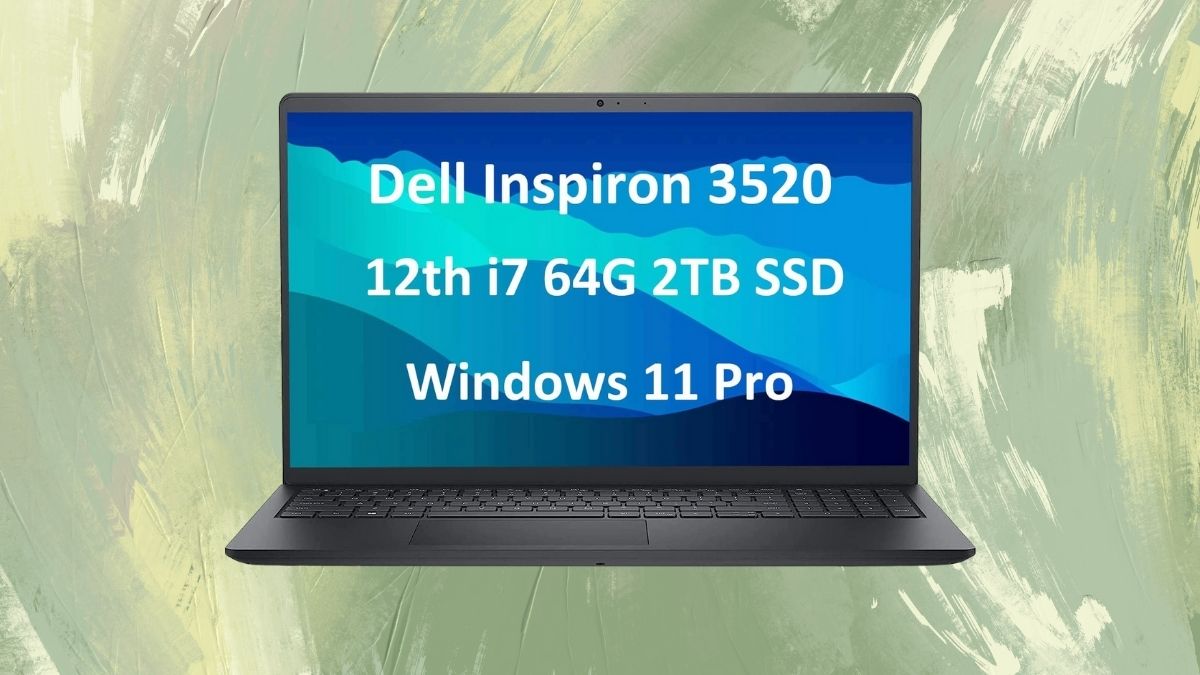
The market for business laptops is saturated with options that often demand steep compromises—either in performance, price, or practicality. But Dell’s Inspiron 3000 3520, equipped with a 12th Gen Intel Core i7-1255U, a whopping 64GB of RAM, and a 2TB SSD, defies expectations.
At under $800, this configuration is not just a workhorse—it’s a budget-friendly powerhouse that delivers far more than its price suggests.
I recently spent time working on this laptop, and what stood out was how seamlessly it bridged the gap between high-performance specs and practical, everyday usability. Here’s a deep dive into what makes this machine compelling—and where it falls a bit short.
Performance Without Apology
If there’s one area where the Inspiron 3520 overdelivers, it’s raw performance. From CPU muscle to memory headroom and speedy storage, this machine is built for users who expect their laptop to keep up—no matter the workload.
Serious Processing Muscle
At the heart of this system is the i7-1255U, part of Intel’s hybrid Alder Lake lineup. With 10 cores (2 performance, 8 efficiency) and 12 threads, it strikes a balanced approach between high-speed execution and energy-saving background tasks.
Turbo speeds of up to 4.7GHz allow it to power through demanding operations like spreadsheet modeling, code compilation, and data-heavy browser sessions.
Unmatched Memory for Multitaskers
The 64GB of DDR4 RAM isn’t just future-proof—it’s virtually overkill for most users. But for professionals juggling multiple applications, massive browser sessions, and occasional creative software, this amount of memory ensures uninterrupted productivity.
Blazing Fast Storage
With 2TB of NVMe SSD storage, boot times are near-instant, and large files open in seconds. Whether you’re managing databases, downloading bulk media, or organizing project files, this SSD delivers both speed and space in spades.
A Display That Punches Above Its Weight
Dell didn’t skimp on the visual experience. The Inspiron 3520 includes display features that add polish and responsiveness, unusual in this price range.
120Hz Refresh Rate
Unusually for a business machine, the Inspiron 3520 features a 120Hz display. The higher refresh rate results in smoother scrolling, quicker visual feedback, and a noticeably more responsive user experience during multitasking or window juggling.
Full HD Clarity
The 15.6” panel features a 1920×1080 resolution—plenty sharp for document work and multitasking. Text is crisp, and the layout doesn’t require scaling tweaks that can sometimes cause display quirks in Windows.
WVA and Anti-Glare for Practical Viewing
Wide Viewing Angle (WVA) technology keeps the screen viewable from off-angles, and the anti-glare coating reduces reflections effectively. However, the 250-nit brightness caps its usefulness in direct sunlight or overly bright spaces.
Build, Ports, and Day-to-Day Usability
The Inspiron 3520 finds a strong balance between portability and practicality. It looks professional, travels well enough, and includes all the basics a modern office setup requires.
Understated but Purposeful Design
In Carbon Black, the laptop looks every bit the professional device—clean, minimal, and free of unnecessary embellishment. It fits seamlessly into corporate and remote work setups alike.
Portability Meets Power
Weighing 3.65 lbs (1.65 kg), it’s a reasonable trade-off between performance and portability. It’s light enough to carry between meetings but substantial enough to house its high-end internals and effective cooling system.
Connectivity Options
It includes:
- 2 x USB 3.2 Gen 1
- 1 x USB 2.0
- HDMI 1.4b
- SD card reader
- 3.5mm combo jack
The omission of USB-C is notable and may limit accessory compatibility down the road.
Backlit Keyboard and Number Pad
The keyboard is comfortable for long sessions and includes a numeric keypad—great for Excel-heavy workflows. Backlighting is a thoughtful touch for working in low-light environments.
Practical Features for Business Professionals
Beyond the specs, the Inspiron 3520 includes software and features that cater specifically to productivity and office workflows. From conferencing to connectivity, it checks most of the important boxes.
Video Conferencing
The 720p webcam is serviceable but falls behind modern standards. You’ll be fine for casual Zoom calls, but frequent remote meetings might benefit from an external webcam.
Audio and Mic Setup
Built-in MaxxAudio Pro speakers and microphone provide clear audio for calls and presentations. While not studio-grade, they’re perfectly sufficient for business use in quiet settings.
Enterprise-Ready Software
Windows 11 Pro includes features often missing in consumer laptops: BitLocker, Remote Desktop, and domain join support. These are essential for IT-managed environments or users dealing with sensitive data.
Where It Stumbles
No laptop is perfect—and this Inspiron has its compromises. Most of its limitations revolve around battery life, display brightness, and future-proofing certain port standards.
Battery Life
The 41Wh battery is a letdown. Expect 4–5 hours with light tasks, less if you’re doing anything intensive. Frequent travelers or mobile professionals will want to stay near an outlet.
Limited Graphics Power
With Intel Iris Xe onboard graphics, you’re limited to office and light creative tasks. This isn’t a machine for CAD, 3D rendering, or gaming.
Display Brightness
While 250 nits is enough for indoor use, it’s inadequate in bright ambient lighting or outdoor conditions.
Missing USB-C
The lack of USB-C or Thunderbolt 4 feels like a step back, especially as many modern accessories and docks now use these standards.
Who Should Buy This?
This configuration is a sweet spot for professionals who need serious memory and storage on a budget. It’s built for business power users, but it won’t satisfy everyone.
This setup is ideal for:
- Data analysts and financial professionals needing large RAM pools
- Developers who run virtual machines or RAM-heavy environments
- Consultants and remote professionals who want solid performance without shelling out for a premium business line
It’s less suited for:
- Graphic designers or video editors needing GPU acceleration
- Frequent travelers needing all-day battery life
- Power users with USB-C-centric workflows
The Bottom Line
The Dell Inspiron 3000 3520 is a remarkable value proposition. It’s not just a budget machine with inflated specs—it’s a well-rounded business laptop with real-world performance that beats competitors in its price range.
While battery life and lack of USB-C are notable drawbacks, the inclusion of a 120Hz display, 64GB of RAM, and 2TB SSD storage for under $800 is a rare and enticing combination.
If your work demands raw processing power, ample memory, and expansive storage—but your budget demands restraint—this might just be the most practical high-performance laptop you’ll find today.